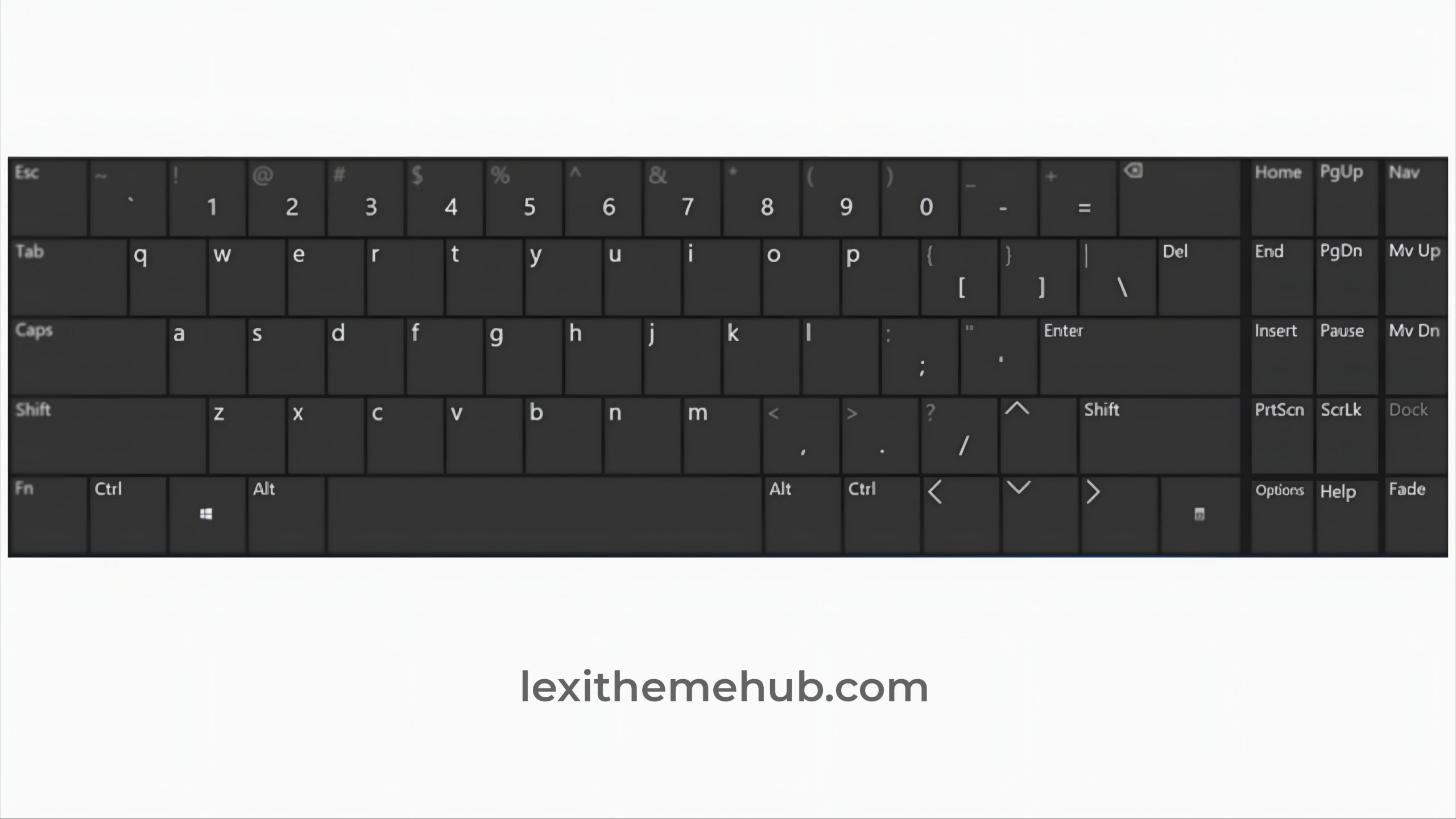
A Windows keyboard is an input device designed to work with computers running the Microsoft Windows operating system. While most keyboards have a standard QWERTY layout for letters and numbers, a Windows keyboard is distinguished by the inclusion of specific keys that are particularly useful for navigating and using Windows.
A Windows keyboard shortcut is a combination of two or more keys on a keyboard that, when pressed together, performs a specific task or command in the Windows operating system. Using keyboard shortcuts can significantly increase your efficiency and productivity by reducing the need to use a mouse.
Common Windows Keyboard Shortcuts
Here are some of the most widely used and helpful Windows keyboard shortcuts:
Ctrl + C: Copies the selected text or item.
Ctrl + X: Cuts the selected text or item.
Ctrl + V: Pastes the copied or cut content.
Ctrl + A: Selects all content in the current window or document.
Ctrl + Z: Undoes the last action.
Ctrl + Y: Redoes the last action that was undone.
Alt + Tab: Switches between open applications.
Alt + F4: Closes the active window or application.
Ctrl + Shift + Esc: Opens the Task Manager.
Windows Key Shortcuts
The Windows key (often abbreviated as Win key) is a special key found on most keyboards that works in conjunction with other keys to perform system-level commands.
Win + D: Shows or hides the desktop.
Win + E: Opens File Explorer.
Win + L: Locks your computer.
Win + I: Opens Settings.
Win + S: Opens the search bar.
Win + Tab: Opens Task View to show all open windows and virtual desktops.
Win + PrtScn: Takes a screenshot of the entire screen and saves it as a file in your Pictures folder.
Win + Left Arrow or Win + Right Arrow: Snaps the active window to the left or right side of the screen, respectively.
The Windows keyboard is a versatile and essential tool for interacting with the Windows operating system, offering a range of functions and shortcuts to streamline your computing experience.
ID used to identify users for 24 hours after last activity
24 hours
_gat
Used to monitor number of Google Analytics server requests when using Google Tag Manager
1 minute
__utmv
Contains custom information set by the web developer via the _setCustomVar method in Google Analytics. This cookie is updated every time new data is sent to the Google Analytics server.
2 years after last activity
__utmx
Used to determine whether a user is included in an A / B or Multivariate test.
18 months
_ga
ID used to identify users
2 years
_gali
Used by Google Analytics to determine which links on a page are being clicked
30 seconds
_ga_
ID used to identify users
2 years
__utma
ID used to identify users and sessions
2 years after last activity
__utmt
Used to monitor number of Google Analytics server requests
10 minutes
__utmb
Used to distinguish new sessions and visits. This cookie is set when the GA.js javascript library is loaded and there is no existing __utmb cookie. The cookie is updated every time data is sent to the Google Analytics server.
30 minutes after last activity
__utmc
Used only with old Urchin versions of Google Analytics and not with GA.js. Was used to distinguish between new sessions and visits at the end of a session.
End of session (browser)
__utmz
Contains information about the traffic source or campaign that directed user to the website. The cookie is set when the GA.js javascript is loaded and updated when data is sent to the Google Anaytics server
6 months after last activity
_gac_
Contains information related to marketing campaigns of the user. These are shared with Google AdWords / Google Ads when the Google Ads and Google Analytics accounts are linked together.
 By Lexithemehub